Mercurial is a free Sublime Text color scheme based on the default palette of Warp Terminal. It comes in a dark and a light variant. The colors are muted and evenly balanced, so no single token shouts at you during a long session. If you already use Warp, your editor and your terminal will finally look like they belong together.
You install it from Package Control in under a minute. It works in Sublime Text 3 and 4.
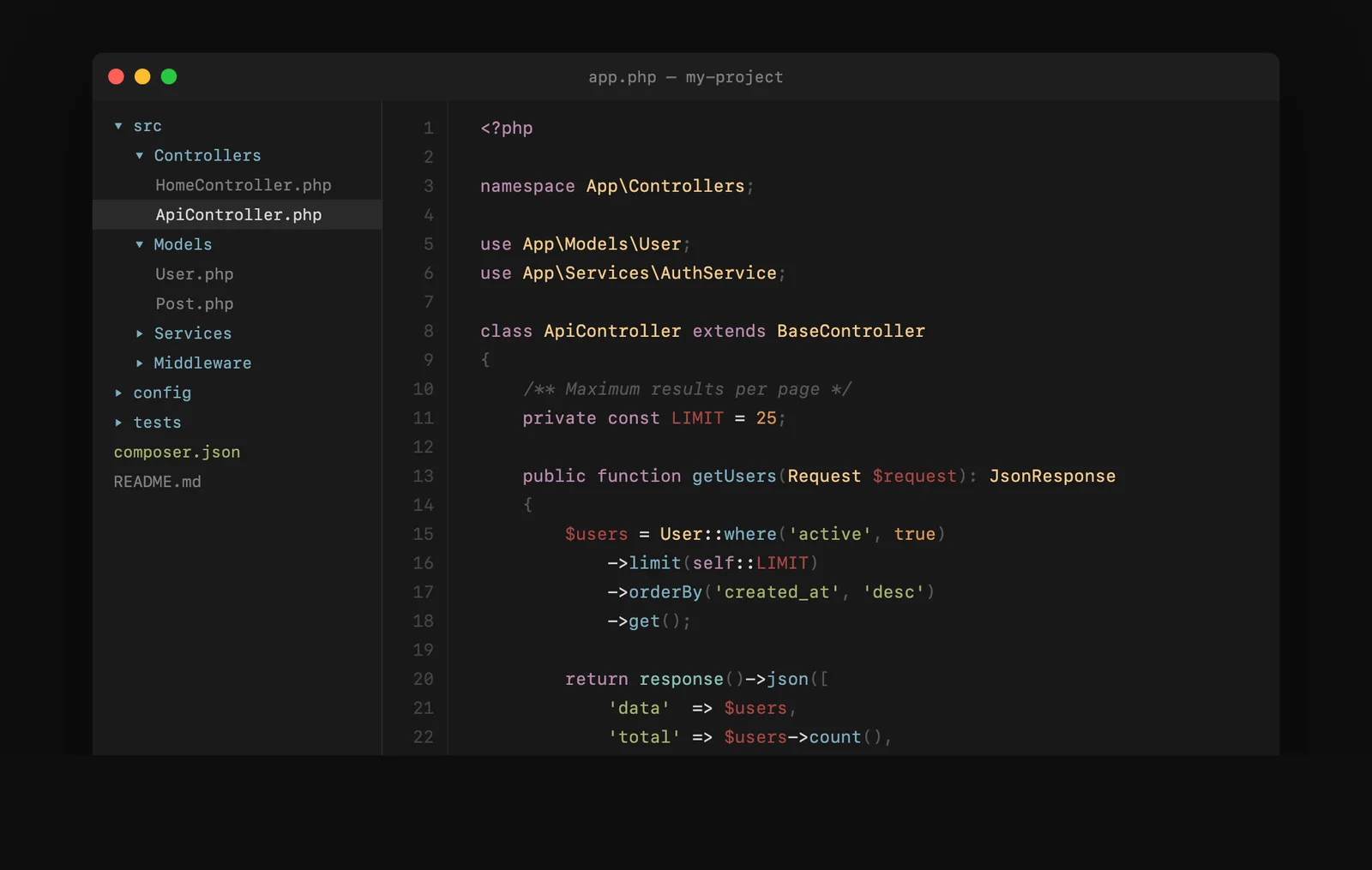
Two variants: dark and light
| Variant | Background | Best for |
|---|---|---|
| Mercurial | #181818 |
Low light and night coding |
| Mercurial Light | #fafafa |
Bright rooms and daylight |
Both variants ship in the same package, so you can switch between them from the menu without installing anything else.
The colors in this Sublime Text color scheme
| Role | Dark | Light |
|---|---|---|
| Background | #181818 |
#fafafa |
| Foreground | #d8d8d8 |
#383838 |
| Comments | #585858 |
#909090 |
| Strings | #a1b56c |
#4d6820 |
| Keywords | #ba8baf |
#8b4d80 |
| Functions | #7cafc2 |
#2a6f8e |
| Tags and variables | #ab4642 |
#a03530 |
| Classes and types | #f7ca88 |
#8a6d20 |
| Numbers | #dc9656 |
#b06020 |
| Library and support | #86c1b9 |
#247067 |
Install it
- Open the Command Palette in Sublime Text:
Cmd+Shift+Pon a Mac,Ctrl+Shift+Pon Windows and Linux. - Choose Package Control: Install Package.
- Search for Mercurial Color Scheme and press Enter.
- Turn it on under Preferences > Color Scheme. Pick Mercurial for dark or Mercurial Light for light.
Manual install
Download the scheme files from GitHub and place them in Packages/User/. You can open that folder from Preferences > Browse Packages. Then pick the scheme under Preferences > Color Scheme.
Older Sublime Text builds
Builds before 3149 cannot read the newer scheme format. For those, the package includes .tmTheme files. Add this line to your settings:
"color_scheme": "Packages/Mercurial Color Scheme/Mercurial.tmTheme"Works with the plugins you already use
Mercurial has dedicated colors for three popular Sublime Text plugins:
- GitGutter: colored gutter marks for inserted, deleted and changed lines.
- BracketHighlighter: a color per bracket type: curly, round, square, angle, tag and quote.
- SublimeLinter (version 4 and later): separate colors for error, warning and info marks.
Supported languages
The scheme covers PHP, JavaScript, TypeScript, HTML, CSS, LESS, Sass and SCSS, JSON, YAML, Markdown, SQL, Python, Shell and Bash, CoffeeScript, Makefile, Twig and Handlebars. It also colors any other language that uses standard TextMate scopes, which is nearly all of them.
Mercurial or Spartan?
I maintain two Sublime Text color schemes. Mercurial is the calm one: a neutral #181818 background with soft, earthy accents. Spartan is the loud one: a purple-black background with bright pink, green and cyan. Pick Mercurial if you want colors that stay out of the way.
If you use VS Code as well, Warped brings 19 Warp Terminal themes to that editor.
Common questions
Does Mercurial work in Sublime Text 3 and Sublime Text 4?
Yes. It supports both. Recent builds use the modern scheme files, and builds before 3149 use the included .tmTheme files.
Is Mercurial a color scheme or a theme?
It is a color scheme. In Sublime Text, a color scheme sets the colors of your code and the editing area. A theme changes the tabs, sidebar and other parts of the interface. Mercurial leaves your theme alone, so it works with whichever one you use.
Does it include a light version?
Yes. Mercurial Light uses a #fafafa background and darker versions of the same accent colors, so the two variants feel related.
Is this related to Mercurial, the version control system?
No. This is a color scheme for Sublime Text. It only shares the name.
Do I need Warp Terminal to use it?
No. The palette comes from Warp’s default theme, but the scheme runs entirely inside Sublime Text.
Is it free?
Yes. It is open source under the MIT license.
Related
See the rest of my open source contributions.