Building UptimeClaw: An Uptime Monitoring Service
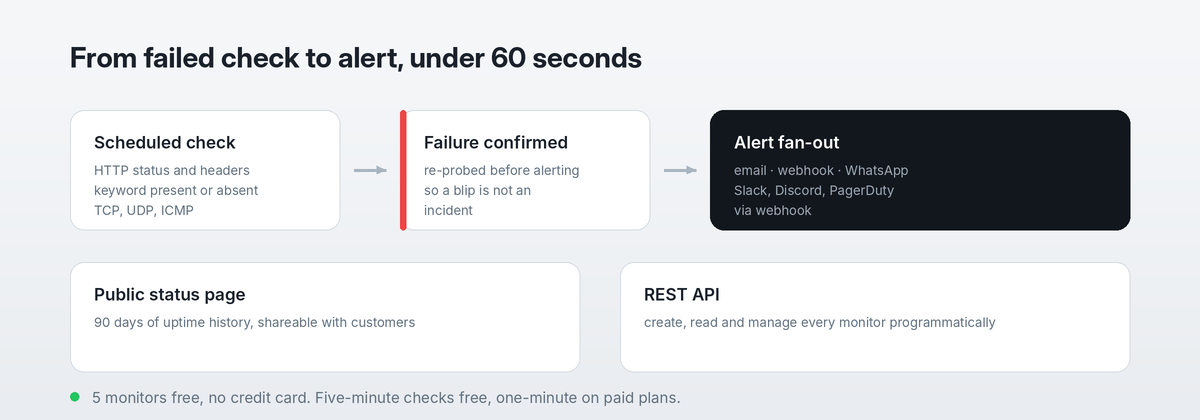
UptimeClaw is an uptime monitoring service I built and run, with no WordPress in it. What the engineering actually involves.
UptimeClaw is an uptime monitoring service I built and run, with no WordPress in it. What the engineering actually involves.
Most of my public work is open-source: plugins, PHP packages, editor extensions. But the project I’m proudest of is bigger than any single plugin. It’s Helm, a logistics ERP I built into WordPress, and WWS Cargo, the freight forwarder now running on it. I built both halves from scratch: the public website, and the system … Read more

After ten years of building Contact Form 7 integrations one platform at a time, I kept hearing the same question: “Can it connect to the tool I use?” So I built ClickSyncr — one Contact Form 7 plugin that connects your WordPress forms to 20+ email marketing and CRM platforms. One plugin, every platform It … Read more
WordPress still powers 42% of the web in 2026, but developers are migrating to Astro, Next.js, SvelteKit, EmDash, and Ghost. A first-hand take with real data.
I am Renzo Johnson, an Orlando WordPress developer. If you landed here from one of my plugins, the documentation is probably what you want. I am Renzo Johnson, a full-stack software developer based in Orlando, Florida. I build and maintain WordPress plugins, WooCommerce systems, React interfaces, APIs, and the infrastructure that keeps those products running. … Read more
A Contact Form 7 redirect sends visitors to a page you choose after a successful submission, which is what makes conversion tracking possible. Below are two ways to set up a Contact Form 7 redirect, including the modern one. Note that on_sent_ok was deprecated in Contact Form 7 5.0. Therefore, prefer the event-listener method for … Read more
Mailchimp Double Opt-In Process Let’s understand the Double Opt-In Process. Contact Form 7 Mailchimp Extension features a ‘Double opt-in’ option to provide your subscribers a means to confirm their subscription to your Mailchimp.com mailing list. You can turn on the ‘Double opt-in’ option in the plugin settings by activating the check-box provided as in the … Read more
The WooCommerce terms and conditions checkbox appears at checkout whenever a terms page is assigned. Removing it is a one-setting change, shown below. Before you do: the WooCommerce terms and conditions checkbox exists to record consent at the moment of purchase, so check your own position on that before removing it. For related checkout work, … Read more
Mailchimp stores names in two merge fields, FNAME and LNAME. Consequently, a single “your-name” field will not populate both. This guide maps Mailchimp first and last name fields from one Contact Form 7 form so each lands in the right place. You will need your API key connected first, and the extension installed. Separate fields … Read more

A conditional Mailchimp list lets one Contact Form 7 form feed several audiences, picking the destination from something the visitor selected. Below is how to set up conditional Mailchimp list routing without duplicating the form. If you have not connected the plugin yet, start with the Mailchimp API key and list ID guides. Conditionally Specifying … Read more
How to Find and Manage Your Mailchimp Audience Fields and *|MERGE|* Tags To add, edit or remove Mailchimp fields and MERGE tags first you need to select your audience or mailing list inside mailchimp.com. To find your Mailchimp audience or mailing list head to: https://admin.mailchimp.com/lists In this page you will see a listing of all … Read more